


ST Cloud Control to BACnet MS/TP or IP or Modbus RTU and TCP Gateway – INSTCMBG0040000
ST Cloud Control to BACnet MS/TP or IP or Modbus RTU and TCP - 4 devices
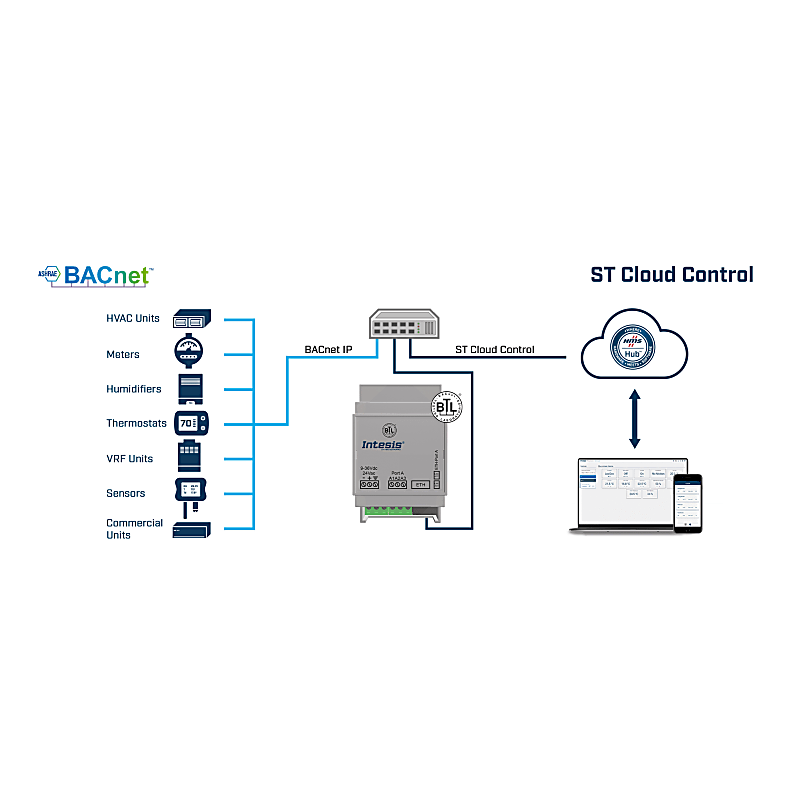
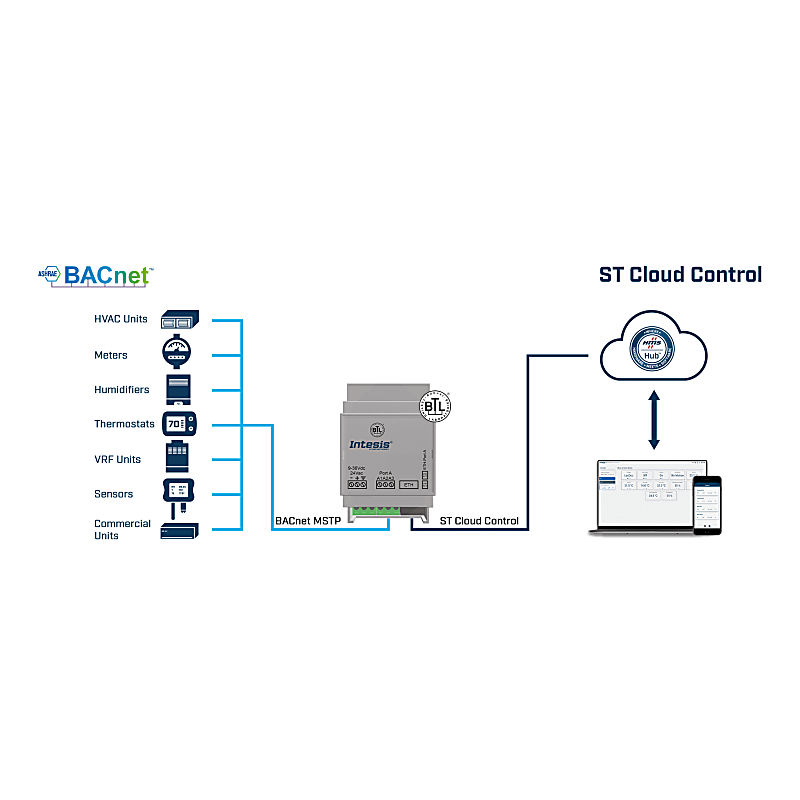
Intesis ST Cloud Control is a bidirectional cloud-based solution to monitor and control any BACnet or Modbus device, either from a web-based control panel or an end-user-oriented application. The solution allows the integration of up to 4 devices, with up to 12 widgets per device. Widgets can be shared/divided between devices connected to the same gateway.



ST Cloud Control to BACnet MS/TP or IP or Modbus RTU and TCP Gateway – INSTCMBG0040000
ST Cloud Control to BACnet MS/TP or IP or Modbus RTU and TCP - 4 devices
Intesis ST Cloud Control is a bidirectional cloud-based solution to monitor and control any BACnet or Modbus device, either from a web-based control panel or an end-user-oriented application. The solution allows the integration of up to 4 devices, with up to 12 widgets per device. Widgets can be shared/divided between devices connected to the same gateway.

- Modbus (RTU and Plus)
- BACnet
- Modbus-TCP
- Ethernet
- Field Bus
- Industrial Ethernet
Cloud-based remote monitoring and control system
ST Cloud Control is a cloud-based system for remote control and monitoring of BACnet/Modbus devices.
Support for BACnet/IP and BACnet MS/TP
The gateway supports BACnet/IP and BACnet MS/TP protocols.
Simultaneous support for Modbus TCP and RTU
Both Modbus TCP and Modbus RTU can be supported simultaneously by the gateway.
Automatically generated web control panels geared towards the end user
The gateway interface consists of user-friendly control panels for the end user. Web panels geared towards web applications generated automatically.
Native application for Android and iOS
Another control method available is through a native application developed for Android and iOS platforms.
Automatic updates
Updating is really simple, as the delivery of updates is automatic.
Integration with the Intesis MAPS configuration tool
Once the gateway is installed, it is configured using the PC-based Intesis MAPS configuration tool.
Configuration via the IP port (Console)
Configuration can be done via the gateway’s IP port (Console). p>
Related products
Looking for more information about this product?
Complete the form, and we’ll contact you.