


Transform PLC data into strategic decisions to optimize your production.
The accelerated technological growth of recent times has brought with it changing needs to which there is no choice but to adapt. Therefore, optimizing our PLCs is becoming increasingly crucial to maximize efficiency, security, and reliability of our industrial environments. In addition, it helps us to save costs, improve productivity, and ensure optimal operation of processes.
However, this task can be complex, depending on the experience of the developer, the difficulty of the operation, and the interoperability with other systems that must be maintained in all cases. It is for this reason that we need software capable of logically analyzing PLC signals to optimize production and, in turn, prevent potential programming problems.
PLC Analyzer, the solution to boost your processes
The PLC Analyzer is software designed to acquire, analyze, and perform logical tests with the process signals of a PLC. By observing these signals and applying logical analysis, it is possible to identify errors in the programming, signal problems, or areas where the process is not fully optimized.

Beyond its optimizing virtue, this software saves values for future analysis, in addition to enabling simultaneous access to multiple PLCs from a single platform.
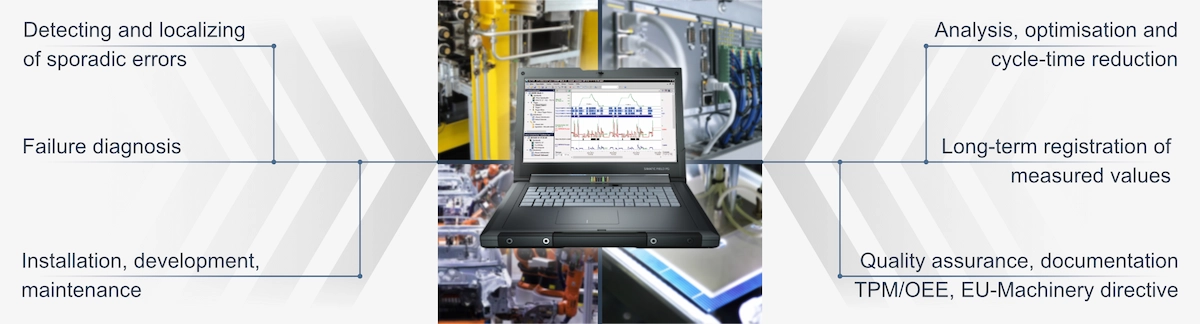
Practical uses of the software
Failure diagnosis
Based on the configuration of triggers, you can verify multiple scenarios and ensure that the other signals involved in that process always maintain coherent values.

Reduced installation and service time for components in the process
The ability to acquire signals from several PLCs allows consolidating all those that come from a new component in a single window. This facilitates the analysis of the component’s behavior in its integration into the process, without requiring multiple environments to review the status of the signals.

Cycle time optimization
Industrial processes range from simple tasks such as assembling a wheel to the complete assembly of a car. By analyzing the time required for each of them, it is possible to eliminate dead times and increase production safely. Improvements in efficiency of up to 30%. This is achieved by evaluating whether the reduction of dead times affects other signals.

Analysis of processes through videos
Another distinctive feature incorporated by the PLC Analyzer is a Videotrack module that allows analyzing the video recording, along with the recorded data, to identify possible improvements or errors in the process.
Signal recording
With this software, you can also store the signals in a database, which leads to the detection of sporadic failures, predictive maintenance, and documentation, among many other advantages. In addition, the PLC Analyzer has complementary hardware specifically designed for the secure storage of signals continuously.

Monitoring and Predictive Maintenance
In relation to the previous point, an indisputable plus of having stored data is the subsequent use of these as a basis for predictive maintenance. By comparing processes recorded on different dates and analyzing the variations to determine the level of wear that a component may have experienced, you can make decisions regarding its maintenance or replacement.

Generate documentation
Beyond improvements in terms of maintenance, data storage enables the documentation of the typical behavior of a machine. This includes minimum and maximum values, and energy consumption, which are obtained thanks to the combination of signals in a test bench. In addition, it facilitates the documentation of the correct use of a machine by maintenance personnel, avoiding possible conflicts with technical support or the warranty associated with it.

Differentiating aspects of the PLC Analyzer
Multisource Tools
Due to its multi-channel capacity, you can acquire signals from different PLCs simultaneously, gaining agility and effectiveness along the way.

Trigger configuration
In addition, with the help of triggers you can capture possible inconsistencies in the signals and generate an event accordingly. An example would be the creation of a specific alarm resulting from the analysis of the data that has been collected.

Data acquisition
PLC Analyzer allows you to acquire data in the way that works best for you, whether manually, for a configured time, or, as seen previously, by trigger.

Configuration of multiple windows
Finally, among its particularities, the software’s ability to configure several windows according to the user’s needs stands out. In other words, you can visualize or analyze the signals based on the ones you choose to see for each particular situation.

Features
What do you need to incorporate PLC Analyzer into your system?
- To install the PLC Analyzer software, you require a PC with a Windows operating system.
- In order to establish communication with the PLCs, it is essential to have licenses for the various communication controllers specific to each type
- of PLC.
- Once the software is installed, communication is carried out through the interface corresponding to each protocol.
- In the event that the PC does not have a physical interface, such as a PROFIBUS port, Ethernet or USB adapters can be used for the acquisition of these signals.
- All-in-one software: configuration, storage, and analysis.
- Ability to work with external interfaces.
- It is not required to modify the PLC program: it directly uses the signals from each project.
- It can generate pseudo variables from other signals.
- Simultaneous acquisition from different PLCs, up to 250.
- Videotrack to analyze the signals at the same time as a video recording.
- Data recording with a precise time record for possible later reproduction.
- Configuration of signal and pseudo signal triggers.
- Multiple events generated by Triggers, E-Mail, SMS, acoustic, pop-up, recording, and any PC command.
- Comparison of saved files.
- Extremely robust data storage format.
- Data exportable to PDF, CSV, Excel, HTML, and graphics.
- Compatibility with Windows 7, 8, 10, 11 (32/64 bit).
- Siemens
- CoDeSys
- Allen-Bradlley
- BECKHOFF
- BOSH Rexroth
- Selectron
- OPC UA
- B&R
- Pilz PSS/PNOZ
- PHOENIX
- BOSCH CL
- GE Fanuc
- OMROM
- MITSUBISHI
- SCHNEIDER
- Jetter JecControl / Delta / Nano
- HITACHI
Get in Touch with an Expert
Fill in your information and we’ll contact you.
"*" indicates required fields