Essential Features for Rapid HMI/SCADA Deployment
Over the past 15 years, there have been several evolutions in HMI applications: updates and innovations that have stood the test of time, or new features, proclaimed as revolutionary when they were la...

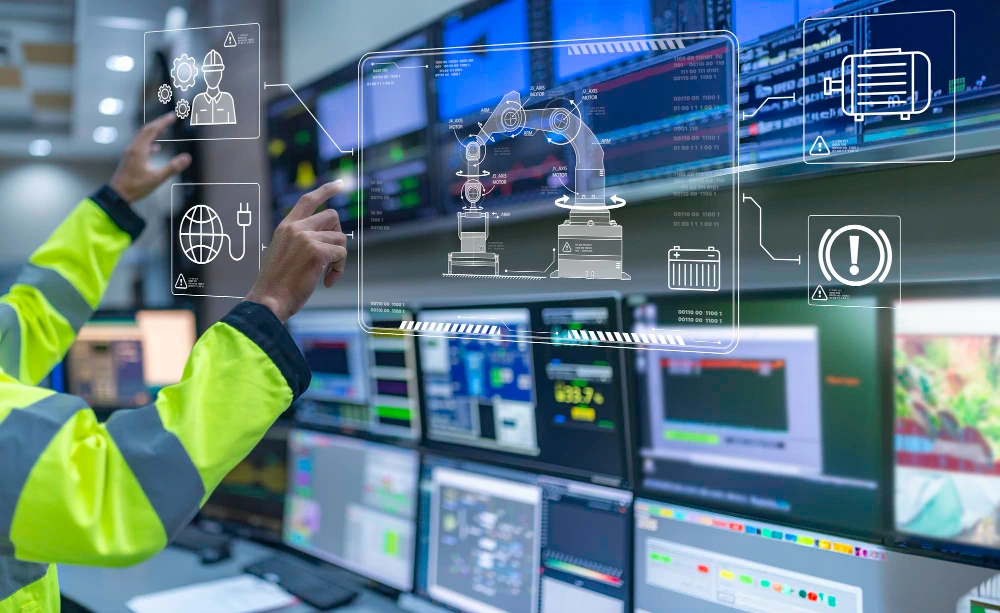
Over the past 15 years, there have been several evolutions in HMI applications: updates and innovations that have stood the test of time, or new features, proclaimed as revolutionary when they were launched, that have disappeared as quickly as they appeared.
Of the many innovations, some stand out as essential for any modern HMI/SCADA development. Among the most important are powerful graphics libraries, template-based design, and simulation tools. These features can help you create projects with fewer errors, reduce maintenance, and ensure the longevity of your applications.
Below, get an overview of the newest key features that allow system integrators to rapidly develop HMI applications:
Powerful Graphics
AVEVA Industrial Graphics is the most powerful graphics library on the market, thanks to aspects such as:
- Star Graphic
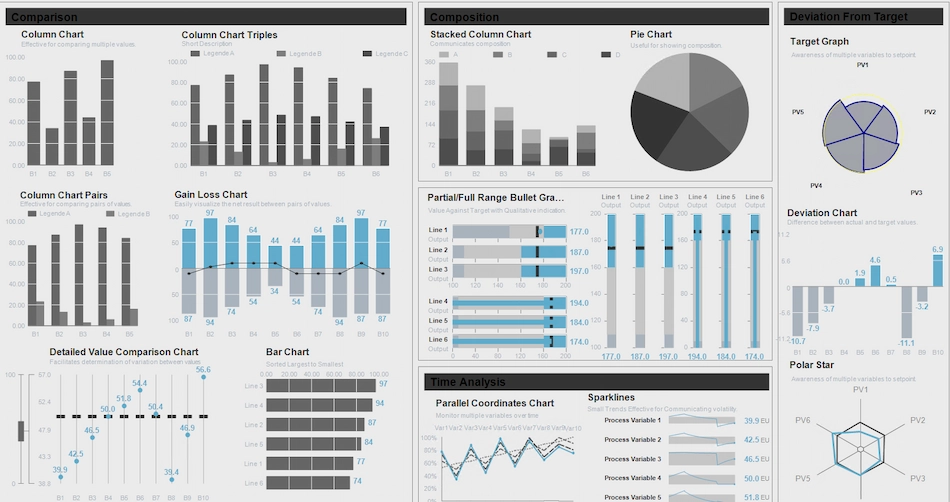
Process control begins with understanding your variables. These variables can be interdependent in a single process. Controlling each variable manually would be difficult, time-consuming, potentially dangerous, and likely to induce errors. Fortunately, AVEVA InTouch HMI simplifies complex tasks.One of the advanced graphics that can be configured is the star graphic, which displays a set of related process values arranged in radii that form a visual polygon. As the values change along the radii, operators can easily recognize the transformation of the star polygon and react quickly to abnormal process conditions.
Each radius includes various custom properties with which to establish value setpoints and alarm limits, as well as coordinate setpoint locations for the normalized process value. When a process value deviates from its setpoint in a radius, the animation changes the shape of the star polygon.
- Scalable Vector Graphics (SVG)
With the ability to support SVG graphics, AVEVA InTouch HMI drastically reduces the effort required for HMI development. You can import SVG graphics created externally, either as image files or converted to AVEVA Industrial Graphics format. Quality animations and SVG graphics without pixelation that are truly sharp, regardless of image size, improve the end-user experience. - Aspect Ratio-Based Resolution Independence
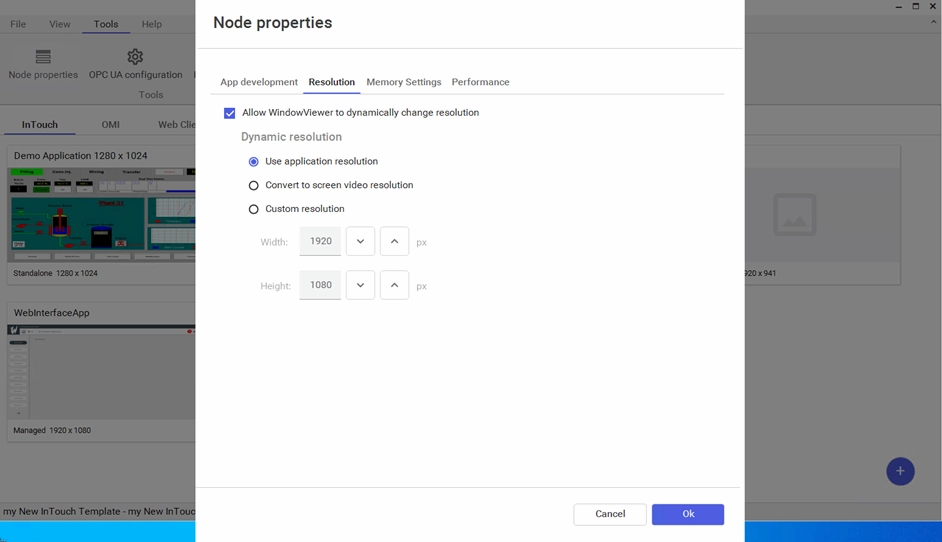
In a world where devices of different shapes are increasingly proliferating, users often need to design applications for unusual dimensions or for screens to which they do not have direct access. Given this, AVEVA InTouch HMI allows users to design applications in a target resolution different from that of the development machine.You can resize or stretch graphics without losing the original visual quality, which improves window display performance and allows you to reuse graphics designed in a different resolution without distortion.
Template-based HMI Design
Template-based HMI design frees developers from mundane and repetitive programmatic tasks, maximizing reuse by developing common components for larger and more complex operations control systems.
- User-Defined Type (UDT) Structures and Object-Oriented Graphics
Undoubtedly, tags are useful in themselves. They are simple and easy to migrate from one project to another. That said, tags do not offer the most intuitive experience for every application. You cannot use tags to link elements in complex structures with built-in relationships and interdependencies. Fortunately, there is another way.User-defined type (UDT) templates, along with object-oriented graphics, allow you to create your own structures to match field equipment or existing structures in your PLCs. Developers can create custom data types (UDTs) in the controller to model process equipment located in the plant. Users can then reference them with multiple instances as needed. For example, if you have multiple tanks, you can develop a UDT to represent them and then use multiple instances of the UDT assigned to each tank.
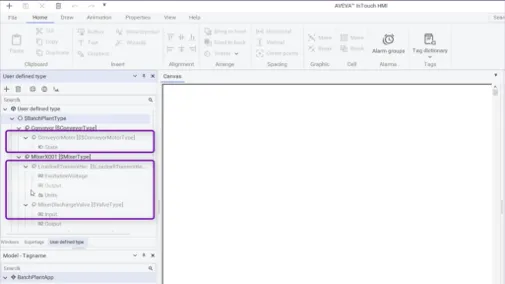
UDTs are a tool that, in addition to saving time, allows for an object-oriented approach. These are better with repetitive structures, and you should use them when you want to have multiple instances. They function as parameterized data templates and indirect object references. Once the composite data structure is defined, you can create an instance as if it were a single tag.
In AVEVA InTouch HMI, UDT instance members behave like any tag and support industrial graphic symbols, animations, scripts, histories, and alarms. Each instance of a UDT will conform to the UDT structure, and any change in the definition will be automatically reflected in all instances.
- Application and Window Templates
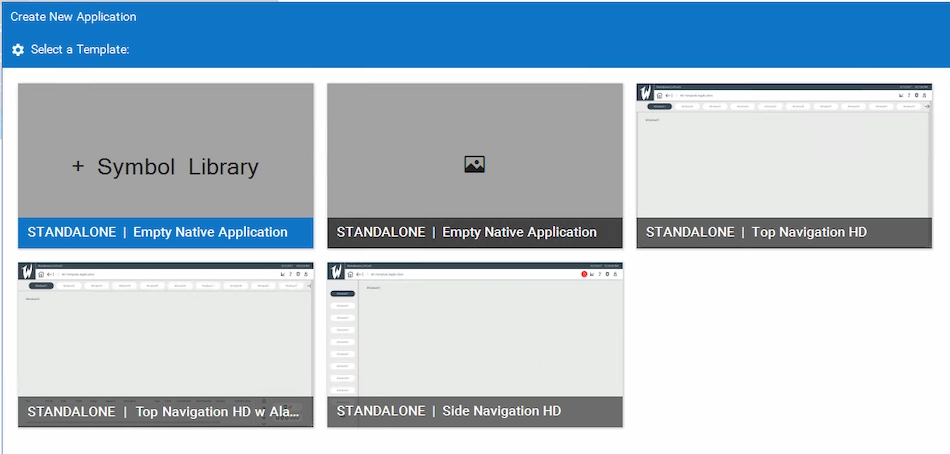
Application templates allow users to design a new HMI application from a base template, instead of starting from scratch, saving hours and hours of engineering. These templates can be as simple as a navigation framework or as elaborate as the user desires.Likewise, AVEVA InTouch HMI windows can also be defined as templates. This allows you to create new windows that inherit all the properties, content, and scripts of your original window. This feature helps you save engineering time.
Users select application templates through a template browser, which provides a thumbnail view of each one. These templates can be organized into a folder structure of each user’s choice, following criteria such as resolution, industry, client, or engineering team, among others. There is a library with several ready-to-use application templates, but you can also create your own.
With this great advantage, system integrators can reuse their engineering in multiple projects, OEMs can deliver base applications to their end users, and new users can get started in less time.
AVEVA Communication Driver Simulator
Simulation tools are very useful for testing your configurations and graphics, especially in situations where physical PLCs are not available. Simulators allow for rapid engineering development.
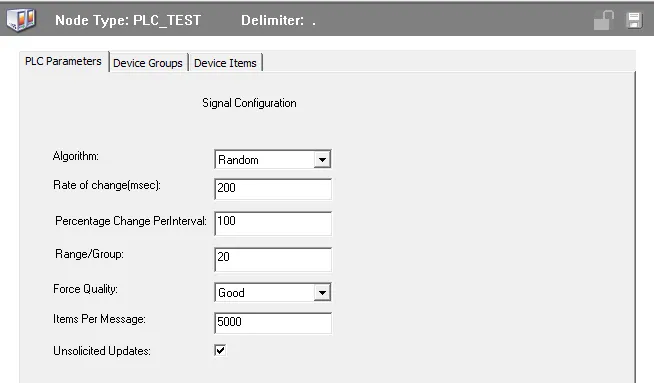
The AVEVA Communication Driver simulator provides simulated data for OPC and SuiteLink clients, making it easy to test data connectivity. This powerful simulator driver comes ready to use as part of the standard AVEVA communication driver package, simulating data for client applications such as AVEVA InTouch HMI and AVEVA System Platform. This functionality gives you the ability to build and test any screen configuration or HMI resolution optimized to perform on each monitor.
Although any change in your trusted solutions may be intimidating, remember that renewing yourself daily is the only way to keep up with the challenges of the future, which will increasingly require more agile, connected, and prepared businesses. And only those who meet these standards will continue to row in the great wave to come.
En Becolve Digital queremos ser tus partners de confianza. Por ello, te ofrecemos la opción de probar la solución antes de decidirte.