Did You Know how Easy it is to Implement the Slow Motion Effect in a Control Center?
One of the most requested functionalities in all tunnel and highway projects (and infrastructures in general) is to be able to recreate the slow motion effect. We explain it to you in depth.


One of the most requested functionalities in all tunnel and highway projects (and infrastructures in general) is to be able to recreate the slow motion effect.
What is the Slow Motion Effect?
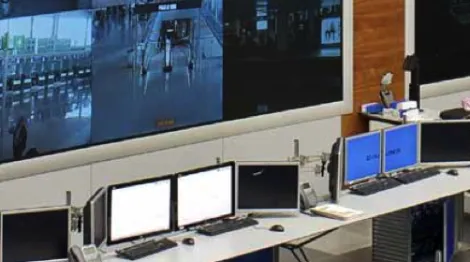
It is the ability to reproduce in film format something that has already happened and has been previously recorded. Can you imagine being able to do this in a SCADA for a control center? It is possible! Keep reading and we will explain it to you.
At Wonderware we use another name for the slow motion effect, and that is SCADA Playback. What SCADA Playback allows us to do is have the ability to use the same SCADA visualization that we use for real-time data, but instead, reproduce old data, that is, from situations that have already happened.
To be able to use SCADA Playback, only two things are necessary: to have Wonderware Historian on the one hand and also to have the new visualization client of Wonderware Intouch OMI. The combination of these two elements allows us to assemble the slow motion effect almost automatically.
First, it is essential to historize the data through the real-time platform of Wonderware Intouch OMI. To cover this need, Wonderware Historian is available, a data historian that is designed for the storage of time series of real-time data, greatly exceeding the performance, storage and data compression offered by traditional databases. Here are some numbers to give you an idea.
- > 2 million tags.
- 2% of storage space required compared to similar data in a relational database.
- 150,000 tags/second sustained indefinitely on a single server using conventional hardware.
- Compression of up to 40 times the alarms and events, acquired up to 1000 messages/second.

Once the data is stored in the historian, on the other hand, the graphics that will be used in the visualization clients of the control center are created, that is, the SCADA graphics. In the graphics, there is nothing special to do. The SCADA screens are created as if it were a normal project using graphics and linking animations to attributes (variables) of the real-time platform. And that is where the key point is, the only premise that must be taken into account is that the real-time variables that are used in the SCADA animations, must be historized in Historian previously. Therefore, it is possible to use this function in new projects, and also in old projects, since it is not necessary to do anything special in the animations of the graphics.
Third, we are missing the key element. Wonderware provides a service, which can be activated from the SCADA itself, and which acts as a link between Historian and the SCADA screens. It is the SCADA Playback service. It only needs to be configured once, and from there, it is possible to access and command it from system variables of the real-time platform. Being able to choose to activate it, deactivate it, date and time of the reproduction, reproduction speed, among others.
As a result, it is possible to assemble a small command faceplate that allows interaction with this service. The service itself is responsible for retrieving the historized data, and representing it in real time in the SCADA graphics, allowing us to reproduce scenarios and situations that have already happened.
It is a very useful functionality in infrastructure projects in general, which allows, to be able to represent in the control center specific moments of incidents, visualize the actions that were taken at that time, reproduce them and perform forensic analysis of the situations.
We leave you a video of a real application where the slow motion effect or SCADA Playback is implemented, and we hope that it will be useful and serve as inspiration for your future projects.